
SEO H1, H2, and H3 Tags: How to Structure Your Content
Headings help readers scan a page and understand how its ideas fit together. They also give search engines useful context about a page’s content. Using H1, H2, and H3 tags thoughtfully can make a page clearer, easier to navigate, and more accessible.
What Are H1, H2, and H3 Tags?
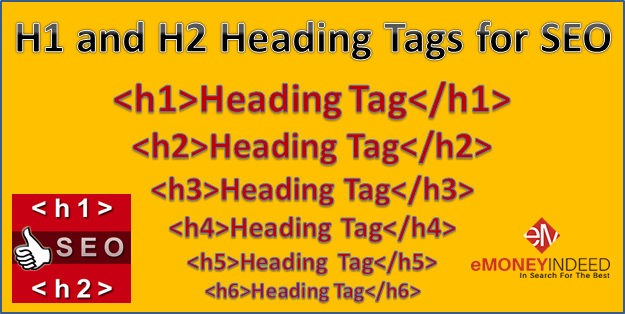
H1 through H6 are HTML heading elements. They create a hierarchy, with H1 typically identifying the page’s main topic and lower-level headings organizing the sections beneath it.
- H1: The main heading for the page.
- H2: A major section within the page.
- H3: A subsection within an H2 section.
For example, an article about choosing running shoes might use “How to Choose Running Shoes” as its H1. Sections such as “Find the Right Fit” and “Consider Your Running Style” could be H2 headings. Details under “Find the Right Fit,” such as “Measure Your Feet” and “Check the Toe Box,” could be H3 headings.
Why Headings Matter for SEO
Headings help search engines interpret the organization and subject of a page. They can provide clues about which topics are covered and how the information is related. Headings are not a substitute for useful, well-written content, and using a particular heading tag does not guarantee higher rankings. Their main value is helping people and search engines understand the page.
Well-organized headings can also improve the reading experience. Visitors can quickly find the information they need, especially on longer pages or when browsing on a phone.
How to Use H1 Tags
Use an H1 to describe the page’s main subject. A clear H1 tells visitors what they can expect and should accurately reflect the content that follows.
- Write a specific, readable heading.
- Include the page’s primary topic naturally when it makes sense.
- Avoid stuffing the H1 with repeated keywords.
- Make sure the heading matches the page content.
Many websites use one H1 per page to keep the structure straightforward. Modern HTML allows more flexibility in some contexts, but a single, descriptive H1 is generally a simple and practical approach.
How to Use H2 Tags
Use H2 tags for the main sections of your page. Each H2 should introduce a distinct topic or step that supports the page’s central subject.
For instance, a guide to home insulation might have H2 headings such as “Types of Insulation,” “How to Choose Insulation,” and “When to Hire a Professional.” These headings make the article easier to skim and help readers jump to the section they want.
How to Use H3 Tags
Use H3 tags to divide an H2 section into smaller, related topics. An H3 should sit beneath a relevant H2 in the content hierarchy.
For example, under an H2 called “Types of Insulation,” H3 headings might include “Fiberglass,” “Cellulose,” and “Spray Foam.” If a section does not need further subdivision, there is no need to add H3 headings just for the sake of using them.
Best Practices for Heading Structure
- Follow a logical order. Arrange headings according to the content’s structure, rather than choosing a tag based on how large it looks.
- Make headings descriptive. Readers should be able to understand what a section covers from its heading.
- Use keywords naturally. Include relevant terms where they genuinely describe the section, but avoid awkward repetition.
- Keep the hierarchy consistent. Typically, use H2 headings for major sections and H3 headings for subsections within them.
- Do not skip levels without a reason. Moving from an H2 directly to an H4 can make the document structure harder to follow.
- Choose heading tags for structure, not appearance. Use CSS to adjust font size, color, and spacing.
Common Heading Mistakes
One common mistake is using headings only to make text look bigger or bolder. This can create a confusing outline for screen reader users and other visitors who rely on headings to navigate a page. Another mistake is adding the same keyword to every heading, which can make content sound unnatural without improving its usefulness.
Also avoid writing vague headings such as “More Information” when a more specific label would help readers. A heading like “How to Compare Insulation Costs” gives visitors a clearer idea of what the section contains.
A Simple Heading Example
<h1>A Beginner’s Guide to Indoor Herb Gardening</h1>


<h2>Choose the Right Herbs</h2>


<h3>Easy Herbs for Beginners</h3>


<h3>Herbs That Need More Sunlight</h3>


<h2>Set Up Your Growing Space</h2>


<h3>Pick a Sunny Location</h3>


<h3>Choose Pots and Soil</h3>


<h2>Water and Care for Your Herbs</h2>
Conclusion
H1, H2, and H3 tags create a clear outline for a webpage. Use the H1 to state the page’s main topic, H2 tags to organize its major sections, and H3 tags to structure related subsections. A thoughtful heading hierarchy supports readability, accessibility, and SEO by making your content easier to understand.
8 Essential Tips for Structuring SEO-Friendly Headings: H1, H2, and H3
- Use one clear H1 to describe the page.
- Include the main topic naturally in the H1.
- Use H2s to organize major sections.
- Use H3s for subsections under H2s.
- Keep headings descriptive and specific.
- Follow a logical H1-to-H2-to-H3 hierarchy.
- Avoid repeating the same keyword in every heading.
- Write headings for readers, not just search engines.
Use one clear H1 to describe the page.
Use one clear H1 to describe the page’s main topic. A specific, accurate heading helps visitors understand what they’ll find and gives search engines useful context about the content. Keep it concise, write naturally, and avoid cramming in keywords or using a vague phrase that could apply to any page.
Include the main topic naturally in the H1.
Include the main topic naturally in your H1 so readers can quickly understand what the page is about. A clear, relevant heading also gives search engines helpful context about the page’s subject. Keep it concise and accurate, and avoid forcing in extra keywords or repeating phrases unnaturally.
Use H2s to organize major sections.
Use H2 headings to organize the major sections of a page, giving readers a clear sense of how the content is structured. Each H2 should introduce a distinct topic that supports the page’s main subject, making the article easier to scan and navigate. When a section needs further breakdown, use H3 headings beneath the relevant H2.
Use H3s for subsections under H2s.
Use H3 headings to organize subsections within an H2 section. This creates a clear content hierarchy, helping readers scan the page and understand how each detail relates to the main topic. For example, under an H2 titled “Choosing a Marketing Strategy,” H3s might cover “Set Your Goals,” “Know Your Audience,” and “Choose Your Channels.” Keep the structure logical, and use H3s only when a section needs further division.
Keep headings descriptive and specific.
Keep your H1, H2, and H3 headings descriptive and specific so readers can quickly understand what each section covers. Instead of vague labels like “Tips” or “More Information,” use clear headings such as “How to Choose Keywords for a Blog Post.” Specific headings make content easier to scan, improve navigation, and help search engines understand the topics on your page. Use relevant keywords naturally, without forcing them into every heading.
Follow a logical H1-to-H2-to-H3 hierarchy.
Follow a logical H1-to-H2-to-H3 hierarchy to make your content easier to scan and understand. Use the H1 for the page’s main topic, H2s for its major sections, and H3s for related subsections beneath those sections. A clear structure helps readers find information and gives search engines useful context about how your content is organized.
Avoid repeating the same keyword in every heading.
Avoid repeating the same keyword in every H1, H2, and H3 heading. Repetition can make your content feel forced and harder to read, without adding useful context for visitors or search engines. Instead, use clear, descriptive headings that reflect each section’s specific topic. Include your main keyword where it fits naturally, and use relevant variations or related terms when appropriate.
Write headings for readers, not just search engines.
Write headings for readers, not just search engines. Clear, descriptive H1, H2, and H3 headings help visitors quickly understand what each section covers and find the information they need. Use relevant keywords naturally when they fit, but avoid awkward phrasing or repetition. When headings accurately reflect your content and follow a logical order, they create a better reading experience while also helping search engines understand your page.