
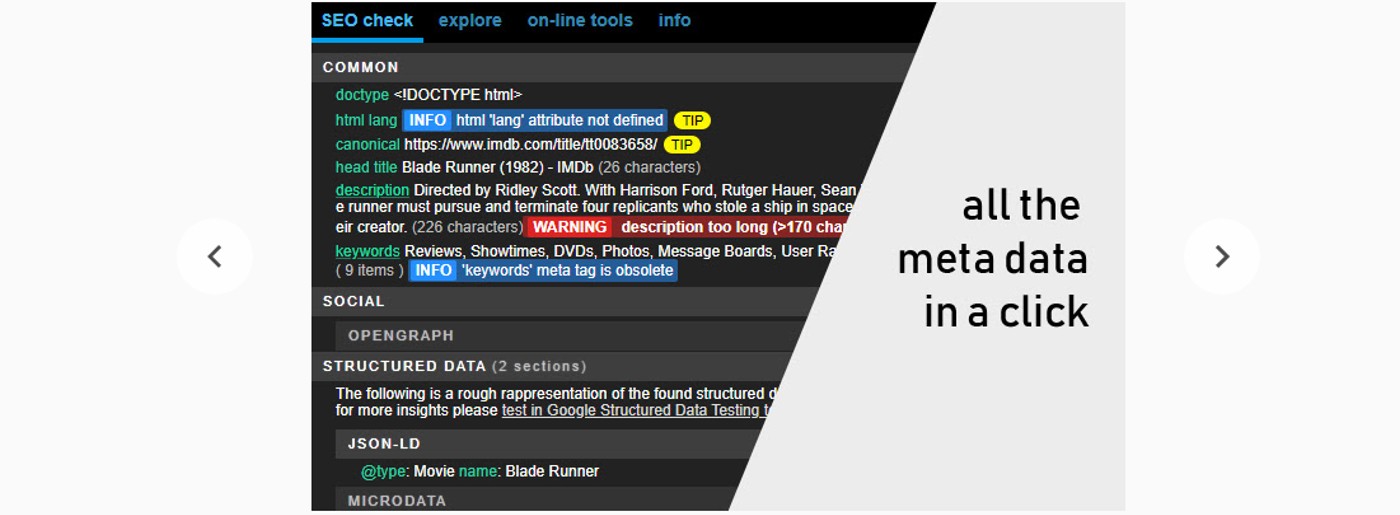
SEO Meta in One Click: A Faster Way to Optimize Your Pages
Writing SEO metadata for every page can take time, especially when a website has dozens or hundreds of pages. “SEO meta in one click” refers to tools and workflows that quickly generate or add metadata—such as page titles and meta descriptions—with minimal manual effort.
One-click tools can make optimization more efficient, but they work best as a starting point. A quick draft still needs to be accurate, useful, and tailored to the page it describes.
What Is SEO Metadata?
SEO metadata is information in a webpage’s HTML that helps search engines and browsers understand or display the page. Two commonly discussed elements are:
- Title tag: The page title that may appear as the clickable headline in search results and in browser tabs.
- Meta description: A short summary that search engines may use beneath the title in search results.
Search engines can choose to display different text, so metadata does not guarantee a particular search-result appearance or ranking. Still, clear, relevant metadata can help people understand what a page offers before they click.
How “One-Click” Meta Generation Works
Many SEO platforms and content management systems can create metadata suggestions from a page’s text, target keyword, or existing content. Depending on the tool, one click may generate a title and description, fill in metadata fields, or apply a template across multiple pages.
For example, a tool might review a page about seasonal gardening and suggest a title such as “Spring Garden Planning Tips for Beginners.” A person can then check whether the wording accurately reflects the article and make edits before publishing.
Benefits of One-Click SEO Meta Tools
- Save time: Generate a first draft quickly instead of starting from a blank field.
- Support consistency: Templates can help maintain a consistent format across similar pages.
- Spot missing metadata: Site-wide scans may flag pages without titles or descriptions.
- Help with large websites: Bulk suggestions can make routine optimization easier to manage.
Why Human Review Still Matters
Automated suggestions can be repetitive, vague, or based on incomplete information. A tool may include a keyword but miss the page’s unique value—or describe something the page does not actually provide. Publishing unchecked metadata can create a poor first impression and may confuse visitors.
Before approving a suggestion, make sure it is:
- Accurate: It describes the page’s actual content, product, or service.
- Distinct: It is not a duplicate of metadata used on other important pages.
- Clear: It uses natural language rather than a list of repeated keywords.
- Helpful: It gives searchers a genuine reason to visit the page.
- Brand-appropriate: It reflects your organization’s tone and terminology.
A Simple One-Click SEO Meta Workflow
- Choose the right page. Start with a page that matters to your audience or business.
- Review the page content. Identify its main topic, intended audience, and most useful benefit.
- Generate a suggestion. Use your SEO tool or CMS to create a title tag and meta description.
- Edit for accuracy and clarity. Remove unsupported claims, awkward wording, and unnecessary repetition.
- Check for duplicates. Compare the metadata with other pages on your site.
- Publish and monitor. Review search performance over time and update the copy when the page or search intent changes.
Example: Turning a Draft Into Better Metadata
Page topic: A guide to choosing indoor plants for low-light rooms
Generic draft: “Indoor Plants | Plant Guide | Low-Light Plants”
Improved title tag: “Best Indoor Plants for Low-Light Rooms | Plant Care Guide”
Improved meta description: “Explore indoor plants that can thrive in low-light rooms, plus practical tips for choosing and caring for the right varieties.”
The revised version is more descriptive and readable while accurately setting expectations for the page.
One Click Is a Shortcut, Not a Strategy
SEO meta in one click can streamline repetitive work and provide a useful first draft. The strongest results come when automation is paired with human judgment: understand the page, check the generated copy, and make sure it serves real searchers.
Use one-click tools to work more efficiently—not to replace thoughtful content and ongoing optimization.
Top 8 FAQs About SEO Meta Tags: Everything You Need to Know in One Click
- What is a meta in SEO?
- How long should SEO meta description be?
- Do I need to put meta tags on every page?
- What is SEO meta in one click?
- Are meta keywords still relevant 2023?
- What is SEO meta in 1 click?
- Can incorrect meta tags hurt my SEO?
- How many meta keywords should I use for SEO?
What is a meta in SEO?
A meta in SEO is information in a webpage’s HTML that helps search engines and browsers understand or display the page. The term often refers to the title tag and meta description: the title may appear as the clickable headline in search results, while the description may appear as a short summary beneath it. Clear, accurate metadata helps people understand what a page is about, though search engines may choose to display different text.
How long should SEO meta description be?
A meta description is often best kept around 150–160 characters so it has a good chance of displaying in full on many search results, but there’s no strict character limit—Google may truncate or rewrite it depending on the device and query. Focus on a clear, accurate summary that highlights the page’s value and encourages the right people to click, rather than adding filler just to meet a specific length.
Do I need to put meta tags on every page?
Yes, every important page on your website should have a unique, descriptive title tag and meta description when possible. These help search engines and visitors understand what each page is about, and may improve how your pages appear in search results. Prioritize pages you want people to find, such as service, product, and key informational pages. You don’t need to add every type of meta tag to every page, and search engines may choose not to display your meta description exactly as written.
What is SEO meta in one click?
SEO meta in one click is a feature in an SEO tool or content management system that quickly generates or adds metadata—usually a page title and meta description—with a single action. It can save time and provide a useful starting point, but the suggested text should be reviewed to ensure it accurately describes the page, sounds natural, and is distinct from metadata on other pages.
Are meta keywords still relevant 2023?
No. Meta keywords were already outdated in 2023: Google has not used the meta keywords tag to rank pages since 2009. Adding keywords to this tag is unlikely to improve visibility, so focus instead on useful page content, descriptive title tags, and accurate meta descriptions.
What is SEO meta in 1 click?
SEO meta in 1 click is a feature in an SEO tool or content management system that quickly generates or adds metadata—typically a page title and meta description—with a single action. It can save time and provide a useful first draft, but the suggested text should be reviewed to make sure it accurately describes the page, sounds natural, and is distinct from metadata on other pages.
Can incorrect meta tags hurt my SEO?
Yes, incorrect meta tags can hurt your SEO indirectly. Titles or descriptions that are misleading, duplicated, missing, or unrelated to a page may confuse visitors and discourage clicks from search results. Search engines may also choose different text to display when your metadata doesn’t match the page. Meta tags alone usually won’t determine rankings, but keeping them accurate, relevant, and unique can support a better search experience and help attract the right visitors.
How many meta keywords should I use for SEO?
For SEO, you generally don’t need to use any meta keywords. Major search engines, including Google, don’t use the meta keywords tag to determine rankings, so adding more keywords won’t improve your visibility. Instead, focus on creating helpful page content and writing a clear title tag and meta description that accurately describe the page.